Pixelmator Pro on iPad Pro is a match made in heaven
Pixelmator Pro arrives on iPad Pro. Also, a programming note on memberships, newsletters, and more content coming to HilliTech.
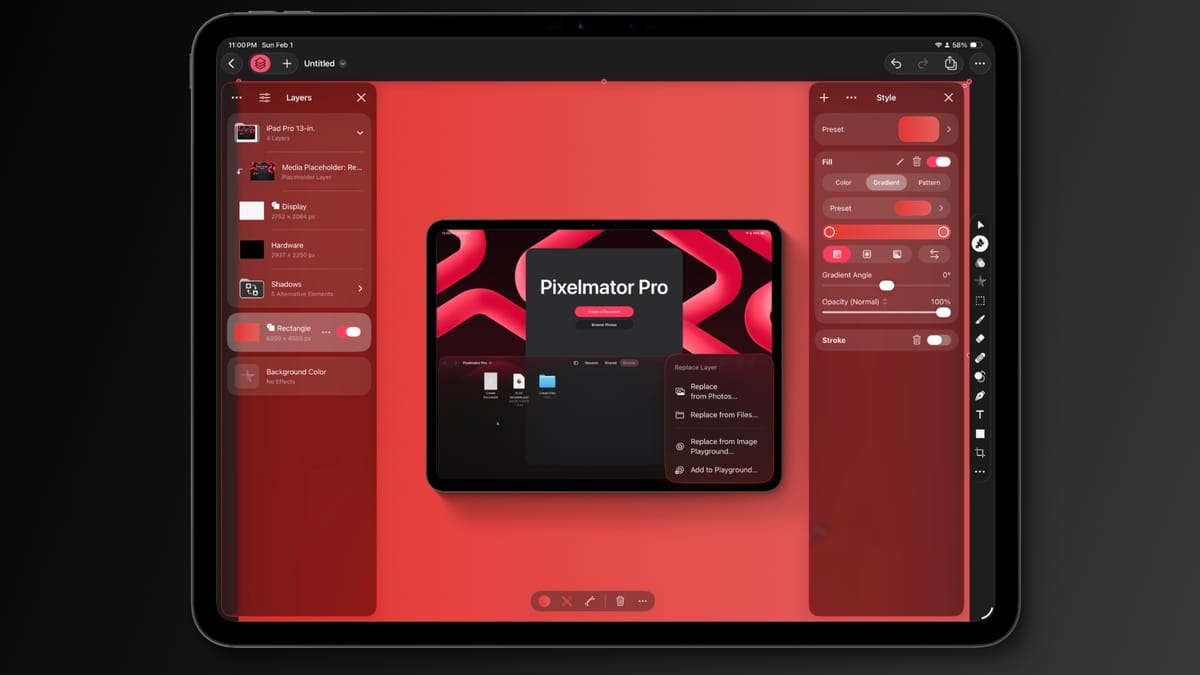
When Pixelmator Pro launched in 2017, it was clear the Pixelmator team had something special. It was a big step up from its barebones iPad app, and it showed promise as a Photoshop alternative.
Jump ahead to November 2024, and Apple has acquired the team and its apps. Everyone immediately began speculating about what would happen to the now-beloved apps – Pixelmator Pro and Photomator. Some assumed they'd get absorbed into Photos or just lost altogether.
Instead, Apple debuted an all-new subscription bundle called Apple Creator Studio. It brought Pixelmator Pro to iPad Pro, and all you have to do is give Apple $130 a year.
Oh, and I guess you get access to Final Cut Pro, Logic Pro, and some other apps; but that's not important, I'd pay anything within reason for access to this excellent app, and here it is, finally.
I've not had much time with Pixelmator Pro since its debut, but I can already tell that I'm going to fall in love all over again. During my one-year stint on a 14-inch MacBook Pro, I was a full-time Pixelmator Pro user when developing images for AppleInsider.
It was one of the few things I missed when I inevitably returned to iPad full time. Apple shaved off every conceivable use I would have for a Mac in the past three years, and finally, it has severed the final thing with Pixelmator Pro.
I'm excited to discuss this software further soon, perhaps at AppleInsider. Stay tuned.
Programming note
You're right, this isn't my usual weekly post. This is the first example of a bit of short-form writing I want to try and do more regularly.
My weekly summary posts aren't going anywhere, and in fact, I've opened up membership for HilliTech so I can send out the summary post as a newsletter. It will still be posted here and show up in RSS, all for free, so read it wherever you want.
Membership also means I can turn on comments for the first time. If you sign up, you'll get the weekly newsletter and the ability to comment, so have fun. Let's have a discussion about what I'm writing here.
My approach with HilliTech is simple: I want to have a place I can share my thoughts and interesting links outside of a fleeting social network feed. Part of my inspiration is Daring Fireball, of course, but I'm not John Gruber, so this isn't a direct clone in content or format. I think this blog is great for just putting things out there for people to see, or not see.
At the end of the day, I'm just glad to share.
If you like my work here and at AppleInsider, please consider signing up for a membership. And if you've got an extra dollar or two, a donation would be appreciated. I really want this place to become a second home for my thoughts, a more personal place than AppleInsider could ever be. It's me more unfiltered and content points I'd never cover on a tech news site.
That's it for now. Keep an eye out for more posts throughout the week (if I can find time). This is an experiment that I hope can help form a long-term practice. People signing up for the membership, commenting on posts, or simply liking, reposting, or commenting on Bluesky would go a long way. I want to know you're reading this, so show me that you are and motivate me to pick up the pace.